
Manage virtual machines
Create VMs and discover existing vm-bhyve guests. Configure CPU, RAM, disks, networks, ISO images and autostart.
My Hyve SCP
Connect servers without reinstalling FreeBSD. Manage virtual machines, snapshots, backups and schedules from your browser.
FreeBSD/bhyve · No host reinstall · Private alpha
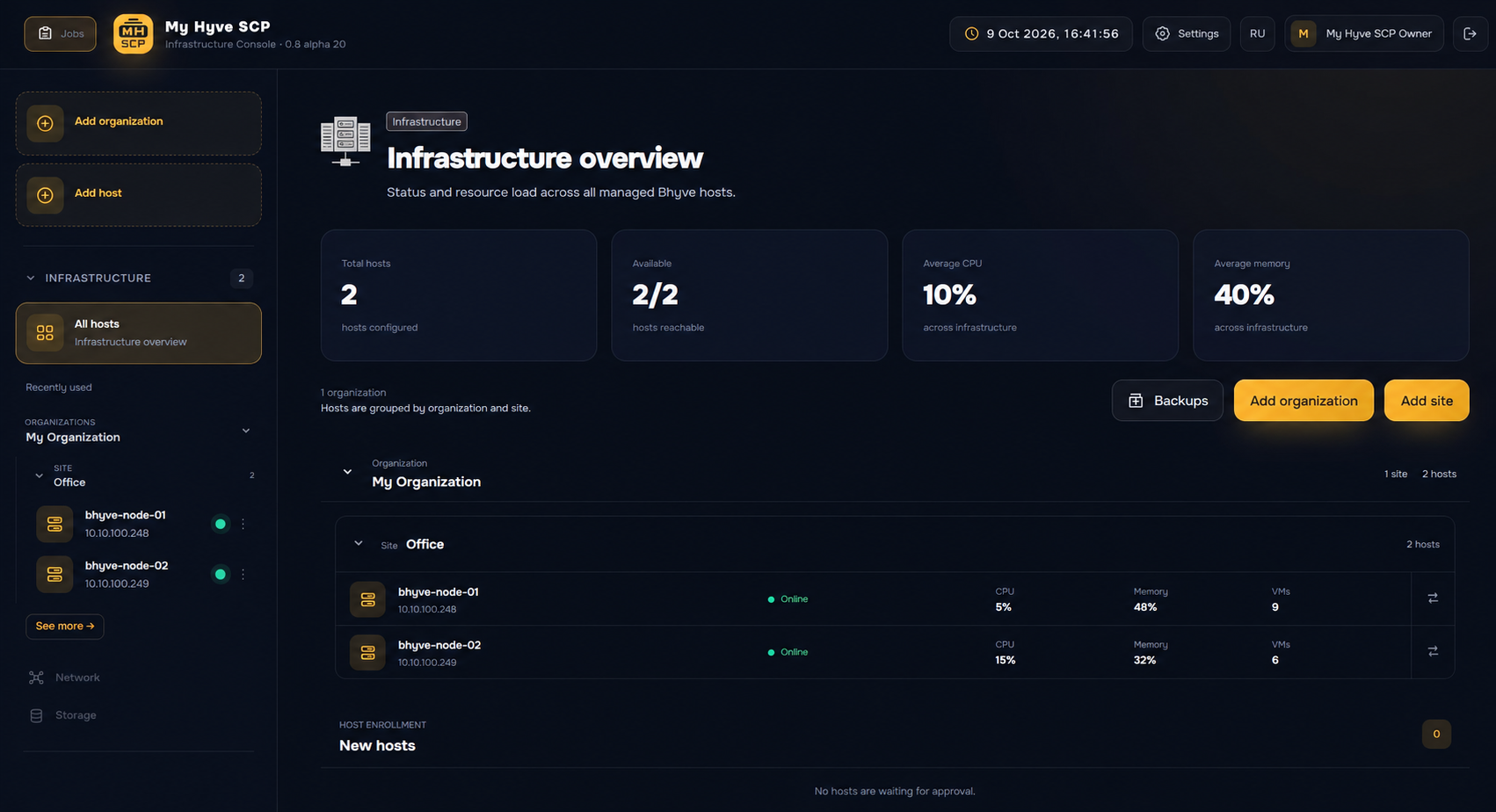
Explore the MY HYVE SCP interface: hosts, virtual machines, jobs, snapshots and backups.
Choose a step or select Next. Enlarge any screenshot to inspect details.
Host availability, CPU and memory use, and VM counts on one page.
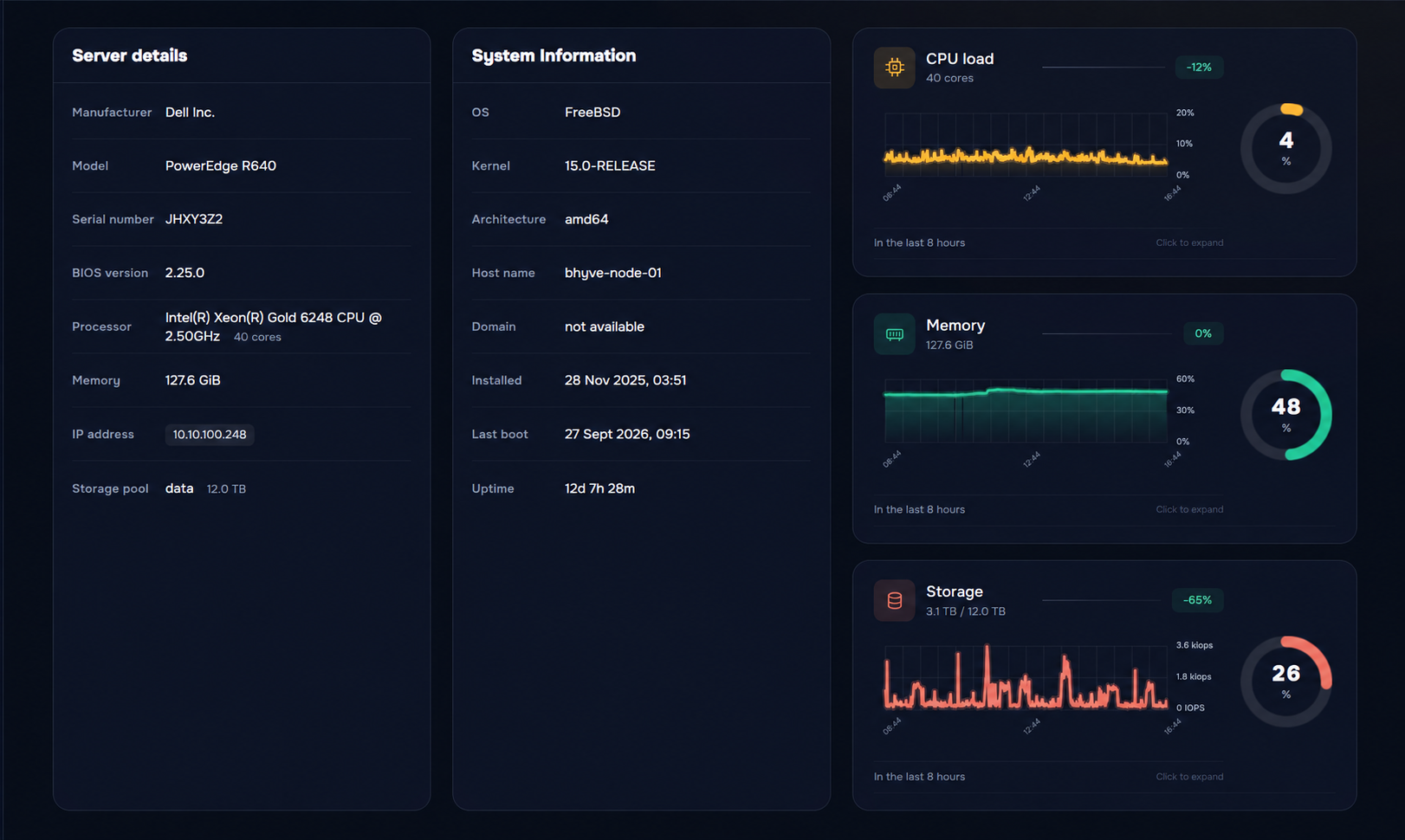
System information, hardware and resources of the selected host.
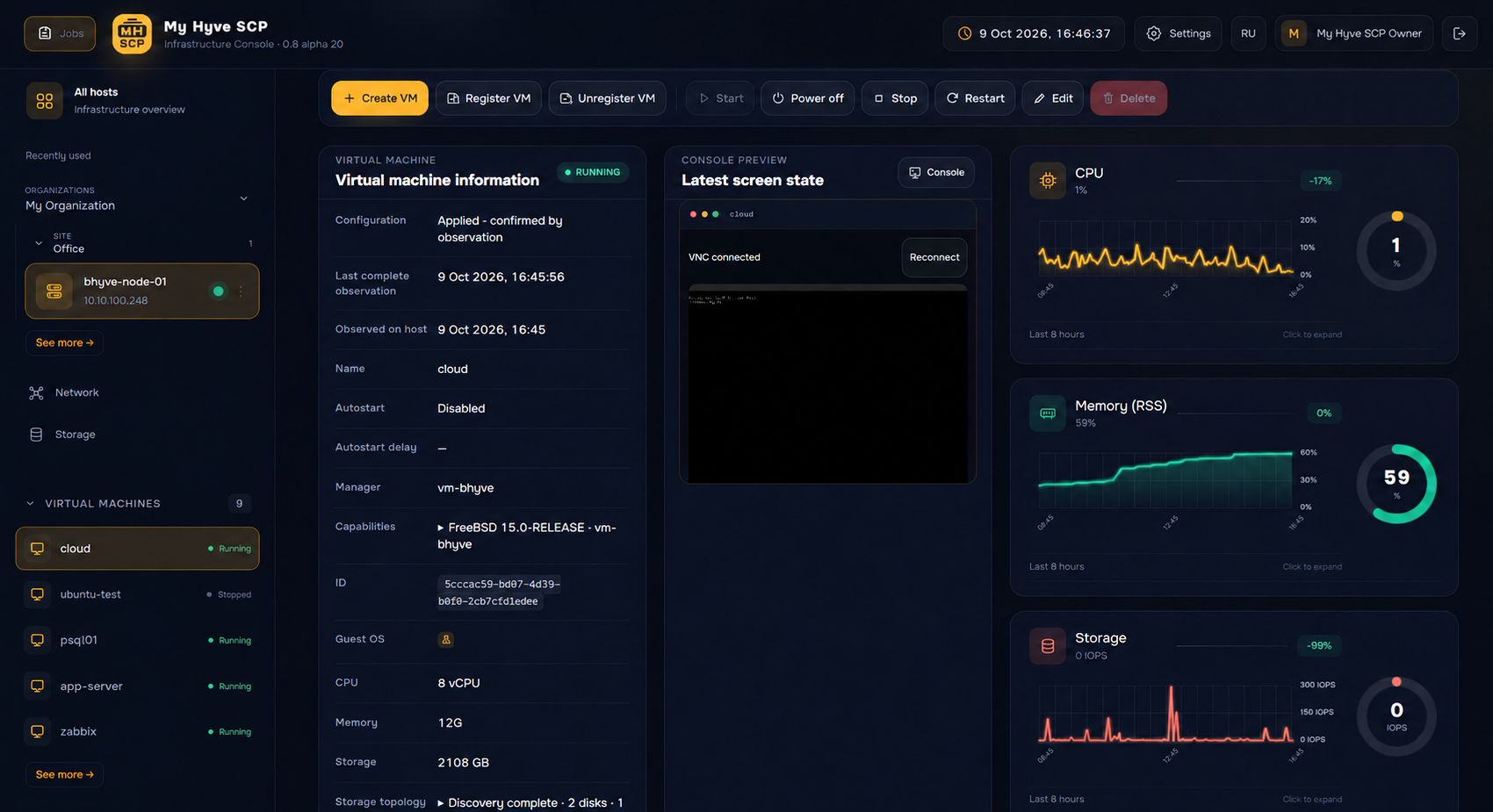
Virtual machine configuration, status and controls.
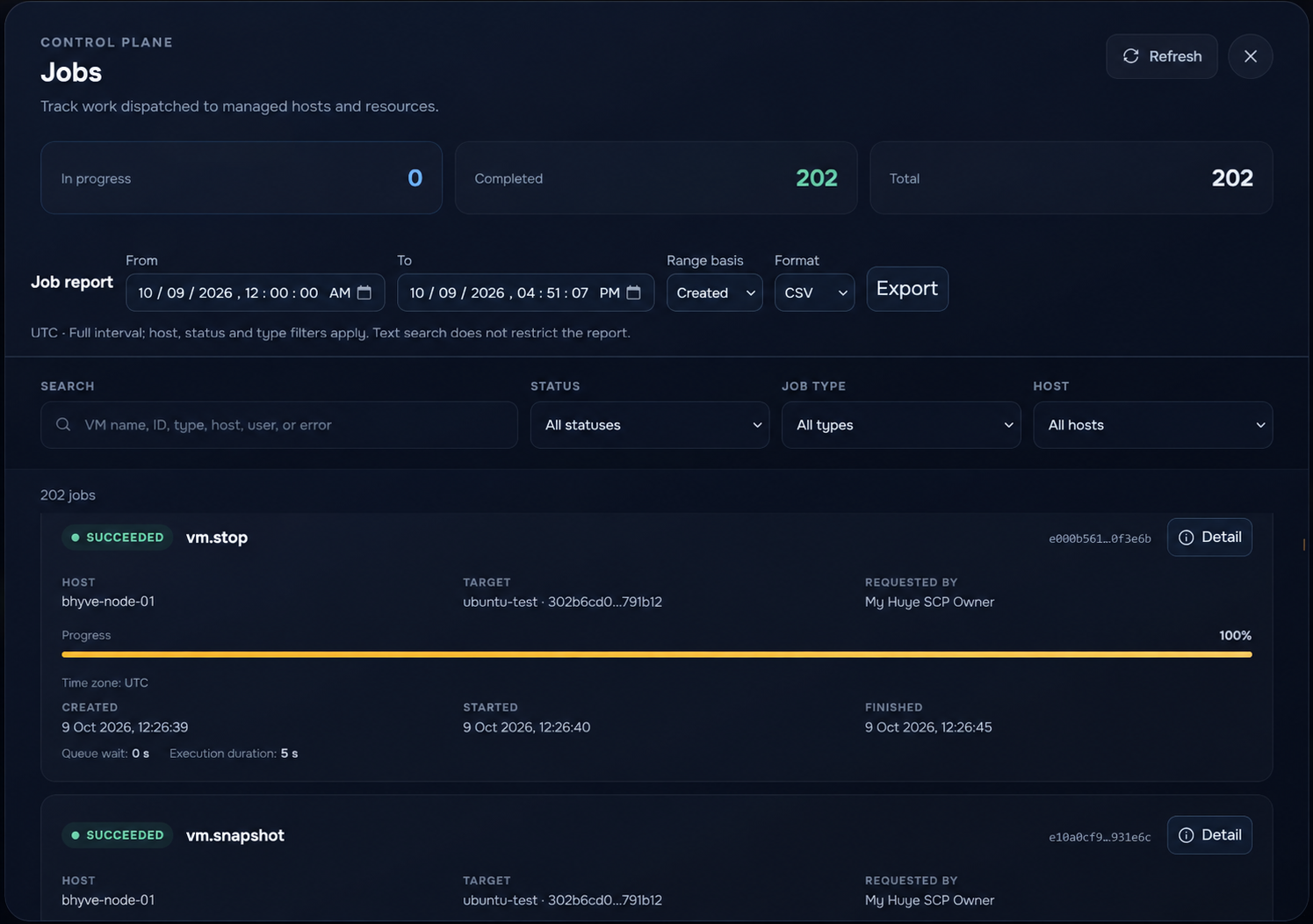
Operation progress, status and results.
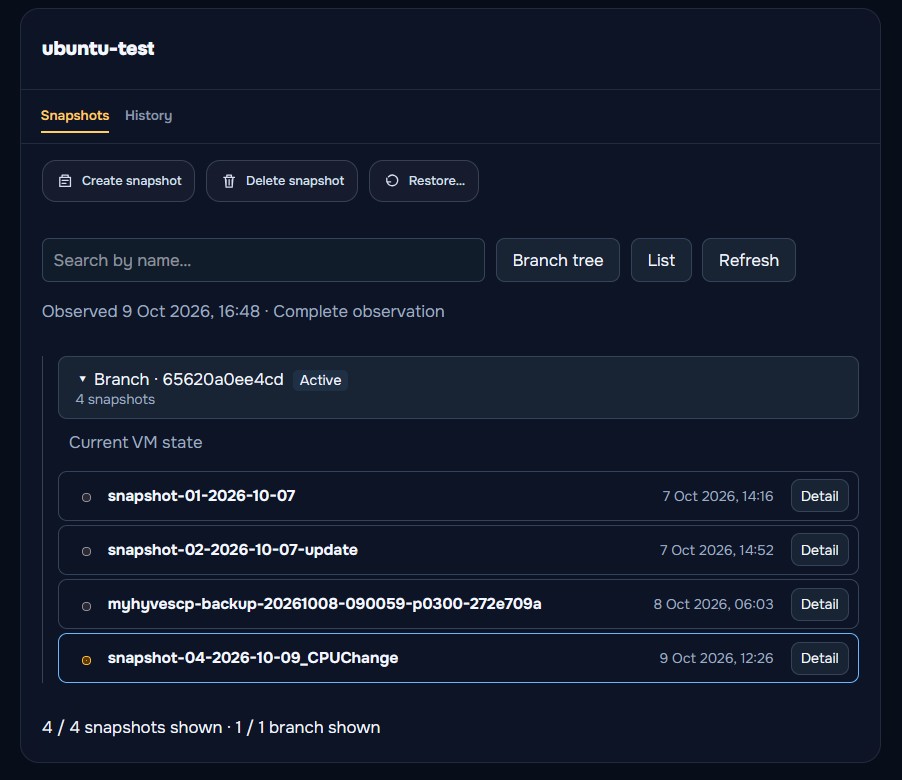
Virtual machine snapshots and saved states in one section.
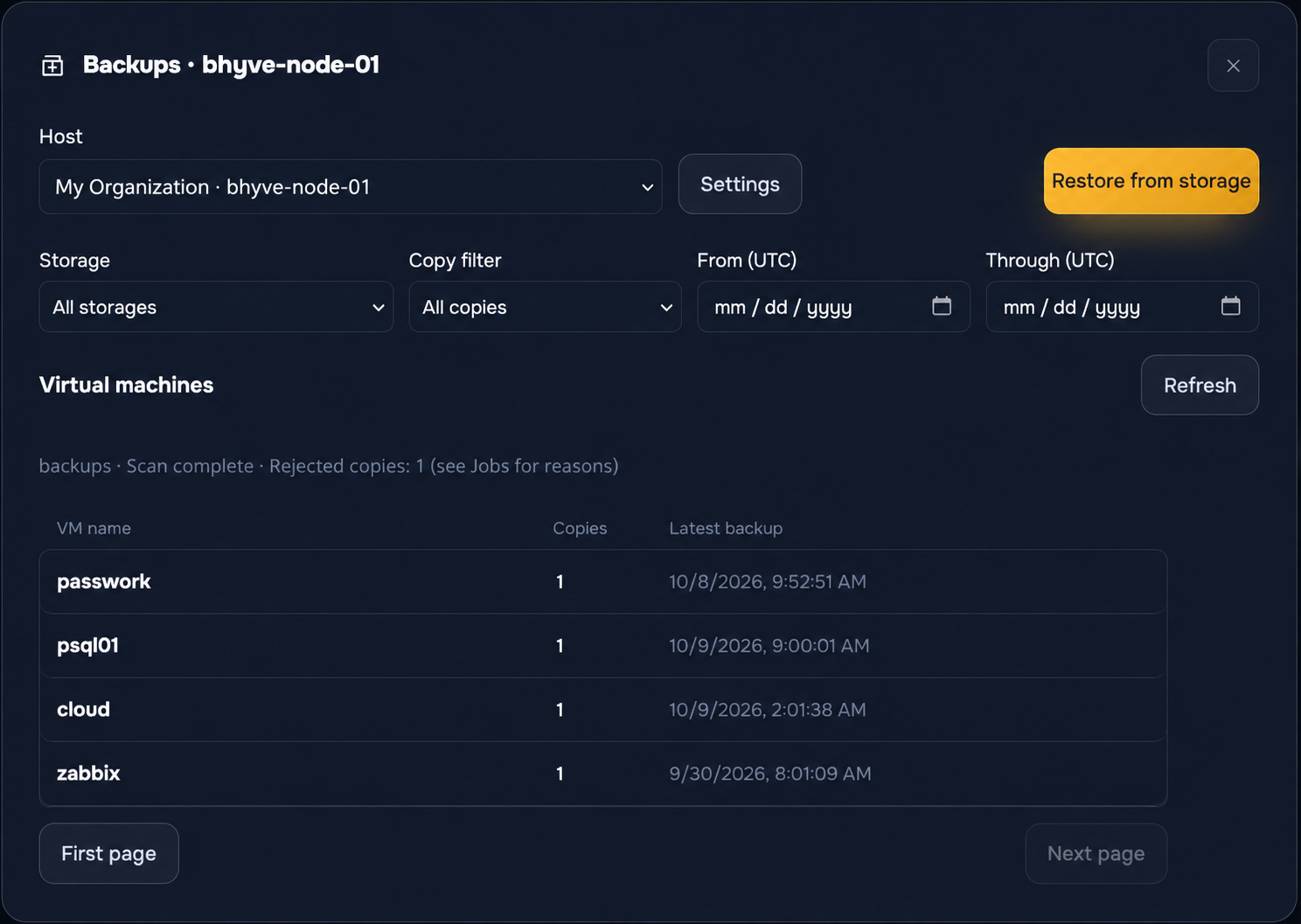
Virtual machine backups and recovery tools.
Tell us about your infrastructure to discuss joining the private test.
Tested on a real FreeBSD/bhyve host.
This is not a new hypervisor. My Hyve SCP does not require you to reinstall FreeBSD or migrate your infrastructure to a specialized distribution. Install a lightweight agent on an existing or newly prepared FreeBSD/bhyve server and connect the host to MY HYVE SCP.
Create VMs and discover existing vm-bhyve guests. Configure CPU, RAM, disks, networks, ISO images and autostart.
Built-in noVNC through an authorized panel connection. No direct public exposure of the host VNC port is required.
Hot and cold snapshots, branch history and the contents of each point. Return to a saved state while retaining the previous branch.
Local destinations, NFS v4 and SMB. Restore into the current VM or a new copy, including on another host. Optional archive encryption.
VM groups, one-time and recurring runs, and time zones. Retention policies based on copy count and age.
Pools, datasets and VM datastores. Compression and recordsize settings, supported VLAN switches and network status.
CPU, memory, network and disk activity history for hosts and VMs. Observed ZFS usage separate from virtual disk capacity.
Users and groups, resource and action permissions. LDAP/LDAPS, OIDC, MFA and an audit log.
Use local or network storage, set schedules and restore VMs on the original host or another compatible host.
A local or mounted path, NFS v4 or SMB. Enrollment checks writing, reading and a checksum.
The latest or a historical point within a supported archive. Restore into the current VM or a new copy with new UUIDs and MAC addresses.
Import the archive, map networks and create a new VM on a compatible host. No connection to the original server is required.
Optional encryption of content and configuration. Keep your recovery key: decryption is impossible without it.
Choose virtual machines, run frequency, capture mode and retention. Follow operation progress and results in Jobs.
Organize sites and hosts by organization. Scope permissions to resources and actions, and track changes in the audit log.
Local users, LDAP/LDAPS and corporate OIDC.
TOTP for password sign-in; MFA assertions from the OIDC provider.
Groups and permissions scoped to resources.
Access, settings, certificate changes and jobs.
As of October 9, 2026. Implemented workflows support defined configurations; production readiness is assessed separately.
| Capability | Status |
|---|---|
| VM management, configuration and consolevm-bhyve creation and discovery, power controls, hardware and noVNC. | Implemented |
| Monitoring, ZFS and networksMetric history, pools and datasets, and supported VLAN switches. | Implemented |
| Snapshots, backups and recoverySupported baseline workflows. Backup covers file disks in one ZFS filesystem. | Implemented |
| Schedules and archive encryptionVM groups, calendar schedules, retention and optional encryption. | Implemented |
| Corporate accessLDAP/LDAPS, OIDC, MFA, resource-scoped permissions and audit. | Implemented |
| Advanced recovery and history cleanupSpecific host profiles, TPM and dependencies require validation and approval. | With limitations |
| HA, replication, migration and libvirt-bhyveNot offered as active capabilities of the current release. | Unavailable |
The network agent runs without root and initiates an outbound mTLS connection. A separate executor performs privileged actions. Host enrollment uses a one-time token, administrator approval and a certificate; trust can be revoked.
MY HYVE began with a practical goal: make day-to-day bhyve administration more convenient and centralized, closer to the experience available with other virtualization platforms.
We are looking for FreeBSD/bhyve administrators who want centralized visibility and are ready to share test results.
A separate FreeBSD/bhyve lab and verified backups for experiments.
Existing VM discovery, multiple-host visibility or resource monitoring.
Report errors and explain what helps or gets in the way.
Versions, lab size and your test goals.
Discuss compatibility, access and test workflows.
Once agreed: alpha access, agent enrollment and feedback on the results.
We are accepting requests for individual private testing. Core workflows have been tested on a real FreeBSD/bhyve host; compatibility with your lab will be reviewed before enrollment. The alpha is not production-ready.
Four fields to get acquainted. Detailed configuration can follow afterward.
Use a separate test environment and verified backups. The alpha may contain bugs and cause data loss or downtime.
You can also email us directly: hello@myhyvescp.com